
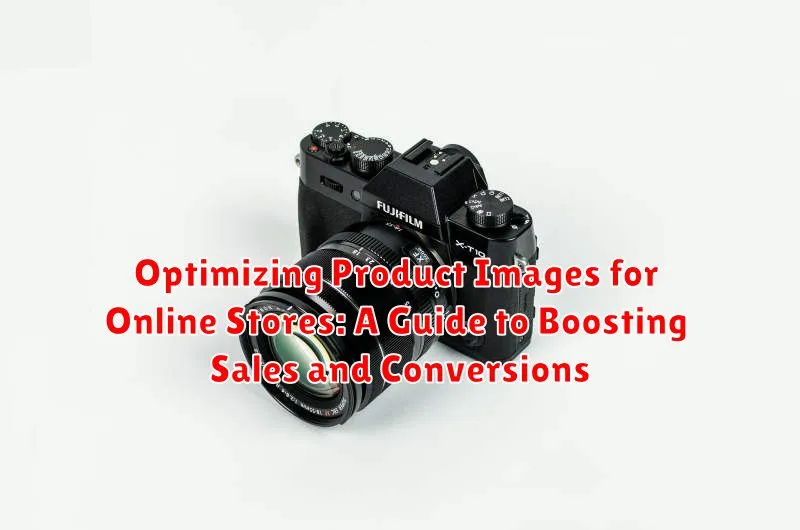
In today’s competitive e-commerce landscape, high-quality product images are paramount to success. They are more than just visuals; they are a powerful tool for boosting sales and increasing conversions. Optimizing product images is crucial for attracting customers, building trust, and ultimately driving revenue. This comprehensive guide will delve into the essential strategies and techniques for optimizing product images for online stores, covering everything from image quality and formatting to search engine optimization (SEO) and user experience (UX).
Learn how to create visually appealing and informative product images that effectively showcase your products. Discover best practices for image optimization, including image size, file format, and resolution, to ensure fast loading times and a seamless browsing experience. We will also explore the importance of alt text and image file names for SEO, enabling search engines to understand and index your images, improving your visibility and organic reach. By implementing these strategies, you can transform your product images into powerful assets that drive engagement, enhance customer satisfaction, and significantly impact your bottom line.
The Importance of High-Quality Product Images
In the competitive landscape of online retail, high-quality product images are paramount to success. They serve as the primary visual representation of your products, influencing customer perception and ultimately driving sales. Professional, well-lit photographs build trust and credibility, portraying your brand as reliable and detail-oriented.
Clear, detailed images allow customers to thoroughly evaluate a product before purchasing. This reduces uncertainty and the likelihood of returns. High-quality visuals enable customers to accurately assess aspects such as texture, color, and size, leading to a more satisfying shopping experience.
Furthermore, compelling product photography can significantly enhance the overall aesthetic appeal of your online store. By creating a visually engaging experience, you can capture customer attention and encourage them to explore your product offerings. This, in turn, can positively impact conversion rates and boost your bottom line.
Choosing the Right Image Format and Size
Selecting the correct image format and size is crucial for balancing image quality with fast loading speeds. JPEG (or JPG) is generally best for photographs due to its ability to compress images significantly while retaining good visual quality. PNG is preferred for graphics, logos, and images with sharp lines or transparent backgrounds, as it offers lossless compression. WebP is a newer format offering superior compression to both JPEG and PNG, leading to smaller file sizes without compromising quality. Consider using WebP if your target browsers support it.
Image size significantly impacts page load times. Large images slow down your website, leading to frustrated customers and lower search engine rankings. Resize your images to the exact dimensions they will be displayed on your website. Avoid uploading a massive image and letting the browser scale it down, as this still requires the browser to download the full-sized image. Using an image optimization tool can automate resizing and compression, saving you valuable time.
Optimizing Images for Search Engines (SEO)
Optimizing your product images for search engines is crucial for driving organic traffic to your online store. Search engines rely on various factors to understand the context of your images, and optimizing these elements can significantly improve your visibility.
Alt Text is the most important SEO element for images. It provides a textual description of the image, allowing search engines to understand its content. Use descriptive alt text that accurately reflects the product depicted, incorporating relevant keywords where natural.
File names also play a role in image SEO. Use descriptive file names that clearly identify the product. Instead of generic names like “IMG_1234.jpg,” use specific names like “red-running-shoes.jpg.”
Image sitemaps can help search engines discover all the images on your website. Submitting an image sitemap to Google Search Console can improve the indexing of your product images.
Structured Data, specifically schema markup for product images, can further enhance your SEO efforts. This markup provides search engines with additional information about your products, including the image URL, which can lead to richer search results and improved click-through rates.
Using Image Editing Software for Enhancements
Image editing software empowers you to refine product images, ensuring they present your offerings in the best possible light. Consistency is key – maintain a uniform style across all product photos to reinforce your brand identity.
Basic adjustments often include cropping for optimal composition and adjusting brightness, contrast, and sharpness for clarity. More advanced edits, like color correction, can ensure accurate representation of your products.
Consider using software with batch editing capabilities to streamline the process, especially if you have a large product catalog. This allows you to apply the same adjustments to multiple images simultaneously, saving significant time and effort.
Popular choices for image editing range from free options like GIMP and Canva to professional software like Adobe Photoshop. Select a tool that aligns with your budget and technical skills. Regardless of your choice, prioritize image quality and avoid over-editing, which can make images appear unnatural and detract from their appeal.
Showcasing Product Details and Features
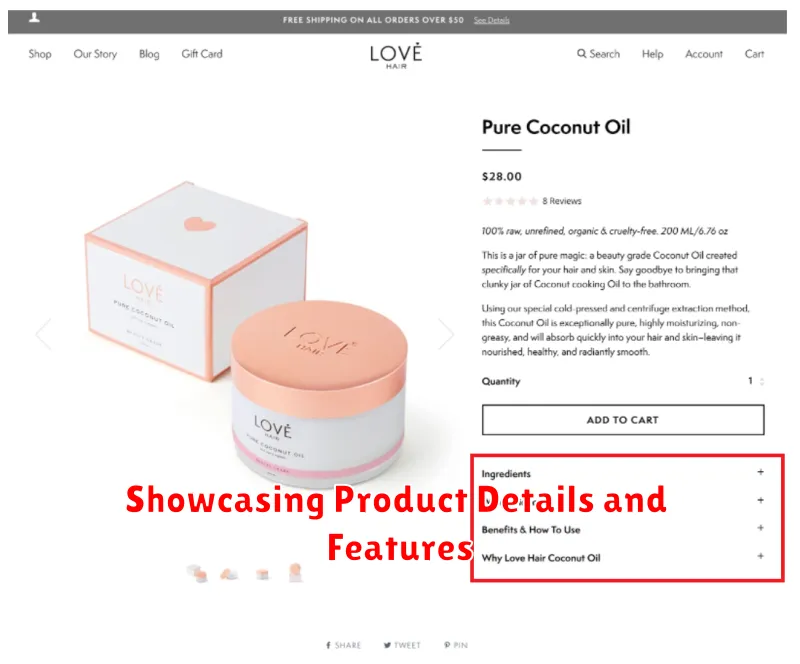
Effectively showcasing product details and features through images significantly impacts customer understanding and purchase decisions. Highlighting key aspects builds trust and reduces potential returns due to unmet expectations. Consider various angles and perspectives to provide a comprehensive view.
Use close-up shots to emphasize textures, materials, and intricate details. For example, showcase the weave of a fabric or the craftsmanship of a handcrafted item. Demonstrate the product’s scale by placing it next to a common object for size reference. This is especially useful for items where dimensions are crucial, such as furniture or electronics.
If the product has unique functionalities or features, dedicate images to illustrate their use and benefits. A picture can often communicate more effectively than a textual description. For items with multiple variations, like color or pattern options, ensure each variation is clearly depicted.
Contextual photography can further enhance the appeal by showcasing the product in a realistic setting. For instance, a picture of a coffee maker in a kitchen setting provides a sense of how it would fit into a customer’s life.
Creating a Consistent Brand Look and Feel
Maintaining a consistent visual identity across all product images is crucial for building a strong brand presence and fostering customer trust. Consistency reinforces professionalism and creates a seamless shopping experience.
Establish clear image guidelines. These should encompass aspects such as background color, lighting, image size, and the overall style of photography. For example, decide whether your product images will feature a white background, a lifestyle setting, or a more artistic approach. Document these guidelines so anyone working with your product imagery follows the same standards.
Color palettes play a vital role. Ensure your chosen brand colors are reflected not just in the product itself, but also in the background or props used in the photography. This strengthens brand recognition and creates a cohesive aesthetic.
Consider your target audience. The style and tone of your images should resonate with them. A younger demographic might be drawn to more vibrant and dynamic imagery, while a more mature audience might prefer a classic and sophisticated approach.
Mobile Optimization for Product Images
Mobile optimization is crucial for product images, as the majority of online shopping now happens on mobile devices. Slow-loading images can lead to lost sales and a poor user experience. Therefore, optimizing images for mobile involves balancing image quality with file size.
Responsive design plays a vital role. Images need to adapt seamlessly to different screen sizes without pixelation or distortion. This requires using appropriate sizing attributes within your image tags and leveraging CSS media queries to control image display based on screen dimensions.
The file format also matters. While JPEG is generally good for photographs, consider using WebP for superior compression and quality. PNG is suitable for images with transparency but typically results in larger file sizes.
Finally, consider using lazy loading techniques. This technique defers the loading of images until they are visible in the viewport, improving initial page load time and user experience, particularly on mobile devices with slower connections. This is achieved through specific attributes or JavaScript libraries.
Utilizing 360-Degree Views and Videos

360-degree views and product videos offer a dynamic way to showcase items, providing customers with a more immersive online shopping experience. These interactive elements allow potential buyers to examine products from all angles, fostering greater confidence in their purchase decisions.
360-degree views are particularly effective for showcasing items with intricate details or complex designs. By allowing customers to rotate the product virtually, they gain a comprehensive understanding of its appearance and features. This can be especially beneficial for items like clothing, furniture, and electronics.
Product videos can further enhance the customer experience by demonstrating functionality and highlighting key features. A short video can effectively convey information that might be difficult to communicate through static images alone. Consider showcasing the product in use, highlighting its benefits, and addressing common customer questions. This approach can be particularly impactful for products with moving parts or unique functionalities.
Implementing these features can significantly boost conversion rates by minimizing purchase uncertainty and providing a more engaging shopping experience.
